2. Create the Frontend TUI Project
After creating the Rust backend project, we create the frontend project. Most Coding Agents today are command-line CLIs, and the most well-known TUI (Terminal UI) solution in this space is Ink.
Ink Introduction
Ink is a framework for building command-line interfaces with React. It abstracts terminal input boxes, lists, status bars, streaming output, and similar UI pieces into components, so we can organize the TUI with familiar React state and hooks instead of manually concatenating ANSI strings.
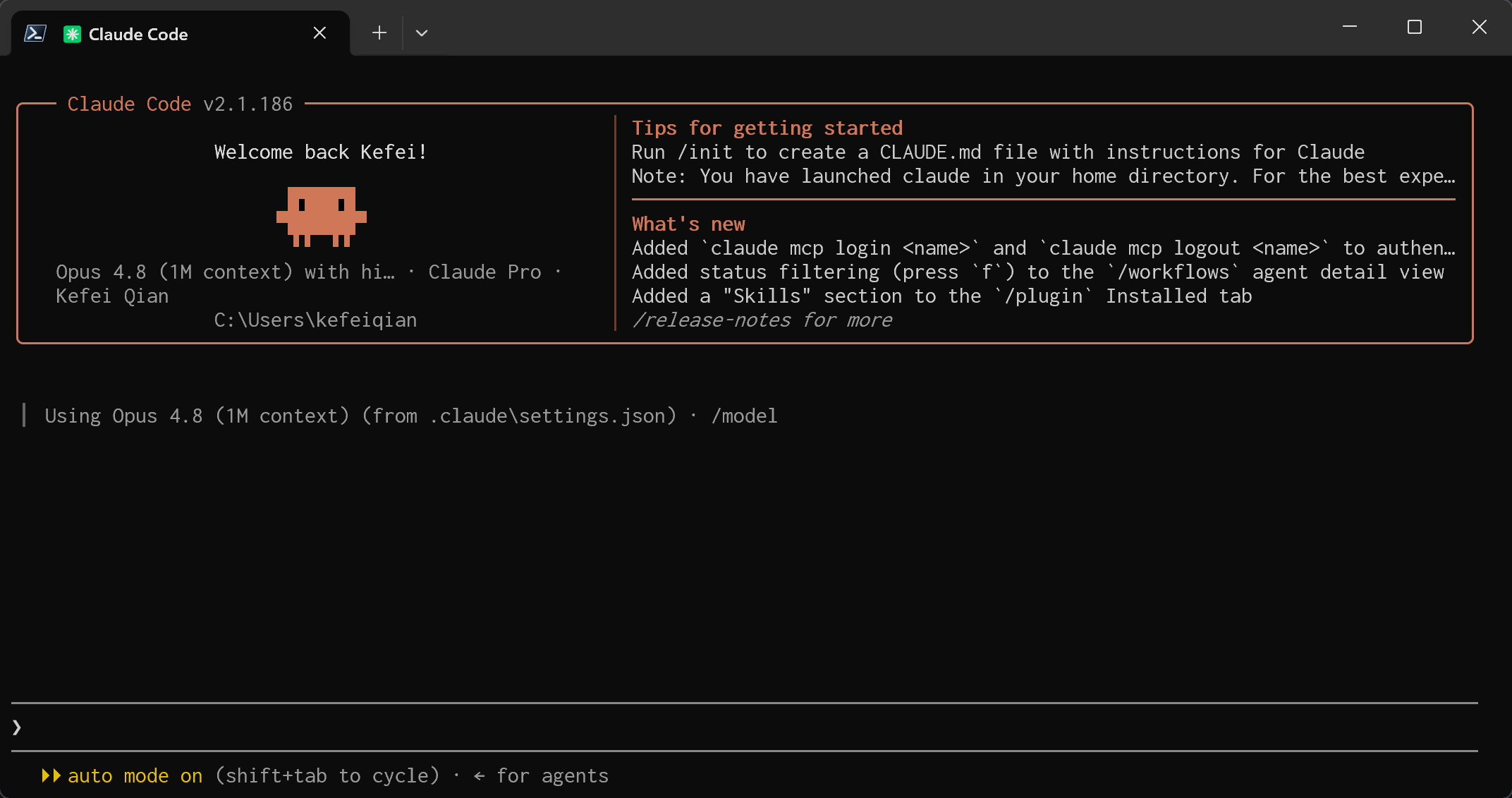
Many Coding Agents use a similar direction, including Claude Code, OpenAI Codex CLI, and Google Gemini CLI. They all need to display conversations, tool calls, diffs, approvals, and execution progress in the terminal. Ink is well suited for quickly building this kind of interaction-heavy CLI interface.
In KQode, Ink is only responsible for the frontend TUI. The real Agent Loop, tool execution, session records, and policy control stay in the Rust core, so the UI can be replaced later.
Claude Code UI screenshot:
Create the Ink Project
KQode's frontend TUI lives in the repository under tui/, separate from the Rust backend.
This TUI is not yet a complete Coding Agent. It first creates a minimal frontend shell that can run, be tested, and be extended. It includes:
- An Ink + React terminal application entry point.
- A simple
Appcomponent that shows the product version, current working directory, and preview copy. - Runtime helpers for reading the repository version and current working directory.
- TypeScript, Vitest, and Ink component testing configuration.
Initialize the TUI Package
The frontend dependencies and scripts are defined in tui/package.json:
{
  "name": "@kqode/tui",
  "version": "0.1.0",
  "private": true,
  "type": "module",
  "packageManager": "bun@1.3.12",
  "engines": {
    "node": ">=24.0.0",
    "bun": ">=1.3.0"
  },
  "scripts": {
    "dev": "tsx main.tsx",
    "typecheck": "tsc --noEmit",
    "test": "vitest run"
  },
  "dependencies": {
    "ink": "^7.1.0",
    "react": "^19.2.7"
  }
}
Here we use Bun to manage dependencies and use tsx to run the TypeScript entry point directly. The key dependencies are:
ink: renders React components into the terminal.react: keeps the familiar component model and hooks.vitestandink-testing-library: test terminal component output.
After creating the project, install dependencies:
cd tui
bun install
In the KQode repository, we prefer running this through the xtask entry point:
cargo xtask tui-install
This lets docs, IDEs, and CI reuse the same command path.
Configure TypeScript
The TUI uses strict TypeScript configuration. tui/tsconfig.json enables strict, isolatedModules, and verbatimModuleSyntax:
{
  "compilerOptions": {
    "target": "ES2022",
    "module": "NodeNext",
    "moduleResolution": "NodeNext",
    "jsx": "react-jsx",
    "strict": true,
    "isolatedModules": true,
    "verbatimModuleSyntax": true,
    "noEmit": true,
    "esModuleInterop": true,
    "forceConsistentCasingInFileNames": true,
    "skipLibCheck": true,
    "types": ["node", "vitest/globals"]
  }
}
The Vitest configuration is also lightweight. tui/vitest.config.ts only specifies the Node test environment:
import { defineConfig } from 'vitest/config';

export default defineConfig({
  test: {
    environment: 'node'
  }
});
Create the Ink Entry Point
The TUI runtime entry point is tui/main.tsx. It reads runtime information and passes it to the React app:
import path from 'node:path';
import { fileURLToPath } from 'node:url';
import { render } from 'ink';
import { App } from './src/App.js';
import { resolveRepoRoot, resolveWorkspaceCwd } from './src/libs/path/runtimePaths.js';
import { readProductVersion } from './src/libs/product/productMetadata.js';

const tuiPackageRoot = path.dirname(fileURLToPath(import.meta.url));
const repoRoot = resolveRepoRoot(tuiPackageRoot);
const workspaceCwd = resolveWorkspaceCwd();
const productVersion = readProductVersion(repoRoot);

render(<App productVersion={productVersion} workspaceCwd={workspaceCwd} />);
There is an important boundary here: main.tsx only collects runtime metadata and starts Ink. It does not own the concrete UI layout. The real UI starts from tui/src/App.tsx:
import { Box, Text } from 'ink';

export type AppProps = {
  productVersion: string;
  workspaceCwd: string;
};

export function App({ productVersion, workspaceCwd }: AppProps) {
  return (
    <Box flexDirection="column">
      <Text color="cyan">KQode {productVersion}</Text>
      <Text color="gray">Workspace: {workspaceCwd}</Text>
      <Text>Preview mode: local Rust backend only.</Text>
    </Box>
  );
}
The UI is intentionally simple at this point: prove that Ink can render KQode's basic information and leave room to expand into a real Coding Agent TUI.
Read Runtime Information
To avoid hard-coded paths in the TUI, the project first adds two small runtime helpers. tui/src/libs/path/runtimePaths.ts resolves the repository root and current working directory:
import path from 'node:path';

export function resolveRepoRoot(tuiPackageRoot: string): string {
  return path.normalize(path.resolve(tuiPackageRoot, '..'));
}

export function resolveWorkspaceCwd(cwd = process.cwd()): string {
  return path.normalize(cwd);
}
tui/src/libs/product/productMetadata.ts reads the KQode version from the root Cargo.toml. This means the version shown by the TUI comes from the Rust project itself, rather than being maintained separately by the frontend.
Run and Verify
During development, you can run commands directly inside tui/:
bun run dev
bun run typecheck
bun run test
But in the KQode repository, we prefer the Cargo-facing xtask commands:
cargo xtask tui-dev
cargo xtask tui-typecheck
cargo xtask tui-test
The Rust-side entry point for tui-dev is xtask/src/commands/tui/dev.rs. It first ensures a runnable workspace exists, then ensures TUI dependencies exist, and finally starts tui/main.tsx through tsx.
For tests, the TUI uses ink-testing-library to render components and assert terminal output. For example, tui/src/__tests__/App.test.tsx checks the product name, version, workspace directory, and backend-only preview copy:
expect(output).toContain('KQode 0.1.0');
expect(output).toContain(`Workspace: ${workspaceCwd}`);
expect(output).toContain('Preview mode: local Rust backend only.');
Prepare a Dummy Workspace
A Coding Agent TUI should not only run inside its own tui/ package directory. In real use, KQode operates on the user's currently opened project, so workspaceCwd needs to mean "the project being worked on" from the beginning.
To verify this semantics, U1 adds a small dummy React project: tests/fixtures/dummy-react-app/. Its package.json looks like a normal Vite React app:
{
  "name": "dummy-react-app",
  "version": "0.0.0",
  "private": true,
  "type": "module",
  "packageManager": "bun@1.3.12",
  "scripts": {
    "dev": "vite",
    "build": "vite build",
    "preview": "vite preview"
  }
}
This fixture is not a working directory to edit directly. It is a read-only seed. xtask copies it under target/kqode-test-workspaces/workspace/, then starts the TUI from that copied workspace. This lets the UI see a realistic project path without polluting the checked-in fixture.
The corresponding preparation command is registered in xtask/src/commands/fixture/mod.rs:
pub const PREPARE_REACT_SIMPLE: CommandSpec = CommandSpec {
    name: "fixture-prepare-react-simple",
    description: "Reset workspace from the committed simple React fixture",
    run: prepare_react_simple::run,
};
When the workspace is missing, tui-dev prompts the user to choose a fixture. After the selection, it starts tsx from the workspace directory, so the TUI's workspaceCwd points to the copied project directory rather than tui/ itself.
Build the Frontend Testing Framework
The TUI test framework consists of Vitest and ink-testing-library. tui/package.json defines two key scripts:
{
  "scripts": {
    "typecheck": "tsc --noEmit",
    "test": "vitest run"
  }
}
tui/vitest.config.ts starts with the minimum configuration and only sets the Node test environment:
import { defineConfig } from 'vitest/config';

export default defineConfig({
  test: {
    environment: 'node'
  }
});
The core idea of component testing is to render Ink components into a terminal frame and then assert the output text. The smoke test in App.test.tsx is written like this:
const { lastFrame } = render(<App productVersion="0.1.0" workspaceCwd={workspaceCwd} />);

const output = lastFrame();

expect(output).toContain('KQode 0.1.0');
expect(output).toContain(`Workspace: ${workspaceCwd}`);
expect(output).toContain('Preview mode: local Rust backend only.');
Besides component output, U1 also tests path helpers. tui/src/__tests__/runtimePaths.test.ts verifies that repoRoot can be derived from tuiPackageRoot, and that workspaceCwd is normalized:
expect(resolveRepoRoot(tuiRoot)).toBe(path.normalize(repoRoot));
expect(resolveWorkspaceCwd(workspace)).toBe(path.normalize(workspace));
These tests cover the two earliest boundaries that need to stay stable: the terminal output the user sees, and the repository/workspace paths the TUI understands at startup.
Finally, xtask exposes these test entry points from the repository root. xtask/src/commands/tui/typecheck.rs calls bun run typecheck, and xtask/src/commands/tui/test.rs calls bun run test. When writing future TUI features, we can run the checks from the repository root:
cargo xtask tui-typecheck
cargo xtask tui-test
Run Screenshot
After everything is ready, the run screenshot looks like this:
